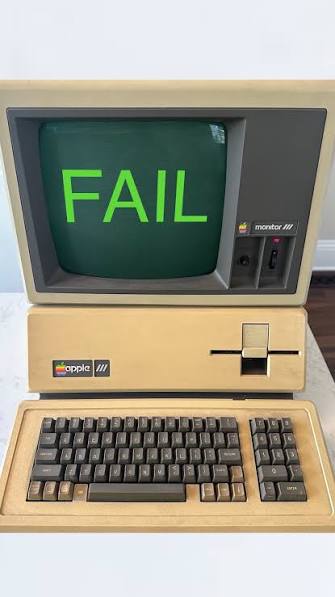
For more than a year now, I’ve been using a wireless Logi keyboard and mouse on my Mac mini. They weren’t overly expensive and had more options than my Apple keyboard and mouse.
Yesterday, I downloaded the most recent Mac update.
Today, the Logi keyboard and mouse did absolutely nothing. I changed batteries. I powered down my Mac and restarted it.
Nothing.
Then I went to my storage desk and pulled out my old Apple keyboard and mouse.
That’s why I’m able to type this late in the evening.
Apple is screwing over its customers.
I went to do a search on whether Apple updates are specifically designed to make things that used to work not work. Here’s the result:
Yes, multiple major Apple software updates have been known to temporarily break or disable outside peripherals like USB hubs, external displays, keyboards, and mice. This behavior usually stems from one of two reasons: a software bug affecting USB drivers, or strict security settings introduced in recent versions of macOS and iOS.
1. The Core Security Setting: “Allow accessories to connect”
Starting with recent versions of macOS, Apple introduced a security feature designed to block malicious hardware from attacking your machine via its ports. If your Mac was updated, this setting may have defaulted to a stricter mode, requiring you to manually approve external devices before they can transfer data.
How to fix it:
- Open System Settings on your Mac.
- Click on Privacy & Security in the sidebar.
- Scroll down to the Security section and look for “Allow accessories to connect.”
- Change the dropdown menu to “Always” or “Automatically When Unlocked.”
- Unplug your USB hub or peripheral and plug it back in.
2. Known OS Update Bugs
Historically, specific updates (such as macOS 14.4 Sonoma, macOS 15 Sequoia, and macOS 26 Tahoe) triggered widespread glitches where external USB hubs—especially those built into third-party monitors from brands like Dell, Samsung, and Gigabyte—stopped recognizing connected accessories entirely.
If your accessories stopped responding immediately after an update, try these troubleshooting steps:
- The Toggle Trick: Go to Privacy & Security, switch the “Allow accessories to connect” dropdown to a different setting, unplug the dock, plug it back in, and switch the setting back to reset the prompt.
- Hard Power Cycle the Hub: For USB ports built into external monitors, a simple system reboot often isn’t enough. Disconnect the monitor/hub entirely from your Mac and unplug its power adapter from the wall for 30 seconds to force the hub’s internal chipset to restart.
- Bypass the Dock: Connect the peripheral directly to one of your Mac’s ports rather than going through an unpowered adapter to rule out power distribution failures.
If you are trying to fix a specific device that isn’t working, let me know:
- What operating system (macOS or iOS) and version did you just install?
- What specific peripheral (e.g., external monitor, hard drive, mouse) is failing?
- Are you using a USB hub or docking station, or connecting it directly?
So the disabling of outside peripherals is intentional. I pulled out my antiquated Apple keyboard and mouse and now I am able to work again. But if I didn’t have those periperals put away BECAUSE THEY DIDN’T WORK AS WELL AS THE CHEAPER KEYBOARD AND MOUSE, I would never have figured out that my Mac wasn’t broken. Or I would have gone out and bought new items at triple the price of my Logi accessories.
Click here to see the price of Apple keyboards.
Click here to see what Apple is charging for a mouse.
The crappy part of this is that Apple is selling THE EXPENSIVE Logitech items on its pages.
What’s more irritating is I will always prefer the Apple operating system over Microsoft’s Windows. I have computers with both systems, and I absolutely hate Windows. I never used to get the tons of junk mail and obvious attempts to hack my computer when I just used Apple. When I open Windows, all the electronic crap in the world arrives. Plenty of e-mail from obvious sham sites asking me to click on something that I know will either hack all my data, or render my computer useless.
So I’m stuck with Apple trying to screw me out of a couple of hundred dollars.
Tim Cook, Apple’s CEO, has a net worth of $3 billion. Does he really need to put more of our money into his bank account?

Leave a comment